If you’ve ever stood in a busy retail store, stared at a sleek outdoor billboard that changes with the time of day, or navigated a flight terminal’s real-time departure boards, you’ve interacted with a digital display. As a digital display supplier who’s worked with businesses across retail, aviation, healthcare, and out-of-home advertising for over a decade, I’ve seen firsthand how choosing the right display type can make or break a project—whether you’re aiming to cut energy costs, boost engagement, or withstand extreme weather. Not all digital displays are created equal, though, and understanding the key types, how they work, and their ideal use cases is the first step to making a smart, long-term investment. Digital Display
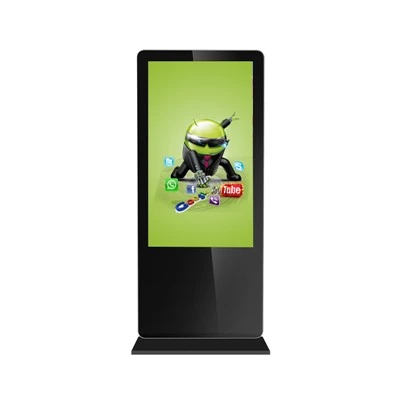
Let’s start with an overview: at their core, digital displays convert electrical signals into visible light, color, and text using different technologies suited for different environments. Unlike traditional static signs or printed posters, these screens can update content in real time, adjust brightness for varying light conditions, and integrate with software systems to align with your business goals. The most common categories, ordered by how widely they’re used across industries, are LED Displays, LCD Displays, OLED Displays, E Ink Displays, and Projected Capacitive Touch Displays. Each has unique pros, cons, and best-fit applications that I’ll break down with real-world examples from projects I’ve supported.
First, LED Displays. If you’ve driven past a downtown billboard, watched a sports game on the stadium’s large-scale screen, or seen a store’s dynamic sale sign, that’s almost always an LED display. Short for Light Emitting Diode, these displays use tiny, energy-efficient diodes grouped into pixels to create images, video, and text. What makes LED stands out is their size flexibility: they’re built from modular panels, so you can piece them together to make a screen as small as a desktop monitor or as large as a stadium’s 300-foot wall. For outdoor use, most LED displays are also “outdoor-rated,” meaning they have weather-sealed panels, scratch-resistant casings, and high brightness (up to 5,000 nits or more) to cut through direct sunlight—no more squinting at a screen in the middle of a summer day.
As a supplier, I see LED used more than any other display type for out-of-home (OOH) advertising, live event staging, and warehouse inventory tracking. Warehouses, for example, use small, high-brightness LED displays mounted above aisles to show real-time stock counts; workers don’t have to tap a handheld device to check, cutting down on time spent running back and forth. The biggest downside to LED, though, is cost and size limits for indoor use: modular panels can have visible gaps between pixels, especially when viewed up close, which makes them a poor fit for spaces where viewers are within a few feet, like a hotel lobby’s reception desk. They’re also less energy-efficient than smaller screen types for small, daily-use displays.
Next, LCD Displays, or Liquid Crystal Displays. This is the technology behind most of the TVs, office monitors, and wall-mounted signage you see every day. LCDs work by sandwiching liquid crystal molecules between two glass panels; a backlight (usually LED, now, rather than the older CCFL bulbs) shines through the crystals, which twist to block or let light through, creating images in combination with color filters. Unlike modular LED panels, most standard LCDs are single, pre-built screens, so they come in fixed sizes—from 15-inch desk monitors to 98-inch wall displays. For indoor use, they’re a workhorse: they’re affordable, have sharp resolution, and run cool compared to many LED displays, making them ideal for spaces where viewers are close, like office conference rooms, hospital waiting areas, or restaurant table-side menus.
I’ve supplied dozens of LCD displays for healthcare facilities over the years: hospitals use them to show patient check-in screens, test results, and wayfinding maps. They’re easy to clean (a big plus for healthcare settings where hygiene matters) and can integrate with hospital software to update content automatically. The catch with LCDs? They don’t hold up as well outdoors, or in spaces with extreme temperature shifts. Their backlight is less bright than outdoor LED, so they’ll fade in direct sunlight, and cold weather can make the liquid crystal molecules slow down, leading to laggy video playback. They also have a lower refresh rate than dedicated LED displays, so fast-paced video (like a retail store’s rotating ad loop) can look blurry at times.
Then there’s OLED, or Organic Light Emitting Diode. OLED is a step above LCD when it comes to image quality, and it’s the tech used in high-end smartphones, premium TVs, and professional design displays. The key difference here is that each OLED pixel emits its own light, rather than relying on a backlight like LCD or standard LED. That means when a pixel needs to show black, it can turn off entirely—creating perfect contrast, deep blacks, and more vibrant colors than any LCD or standard LED display. For designers or businesses that want crisp, high-end visuals, OLED is unbeatable. I recently supplied a 55-inch OLED display for a luxury retail brand’s flagship store; the screen displayed product videos and lifestyle imagery, and customers told me the image looked so clear it felt like they could touch the fabric on screen.
But OLED isn’t for every project. The biggest drawback is cost: OLED displays are 2 to 3 times more expensive than comparable LCD or small LED screens. They also have a shorter lifespan for static content: if you leave a logo or a time stamp in the same spot 24/7, you can get “screen burn-in,” where the image leaves a permanent ghost on the screen. For that reason, OLED is rarely used for OOH signage or warehouse displays, where content is static for long periods. It’s best for high-end, indoor spaces where viewers are looking for premium visual quality, like high-end retail showrooms, art galleries, or corporate executive offices.
Next up, E Ink Displays—sometimes called electronic paper displays, because they look and act just like printed paper. E Ink uses tiny, charged microcapsules filled with black and white (or, more recently, color) pigment; when an electrical signal is applied, the pigments move to the surface to create text and images. The biggest advantage of E Ink is its readability: it doesn’t emit a bright backlight, so it’s perfectly easy to read in direct sunlight, just like a book. It also uses almost no power when the image is static—only a tiny jolt to update content, which means one E Ink display can run for years on a single battery.
I’ve seen E Ink used in two main places: e-readers, obviously, and price tags in grocery and retail stores. Many big supermarket chains now use E Ink price tags that update automatically from a central system; when a sale goes live overnight, all the tags change without requiring a worker to swap physical labels. That cuts down on labor costs and reduces errors from manual label changes. The downside? E Ink is slow to update content—usually taking a second or two to switch from one image to another—so it’s not good for video or fast-changing content like flight departures or sports tickers. It’s also limited in color: basic E Ink is black and white, and color E Ink is still less vibrant than LED or LCD, so it’s only a fit for spaces where simple text and static images are the goal.
The final type is Projected Capacitive Touch Displays, often just called touchscreen displays, which are integrated with any of the display technologies above (LCD, LED, OLED) to let users interact directly with the screen. Unlike older resistive touchscreens that required pressure (like the first generation of smartphones), projected capacitive touch uses a grid of electrodes in the screen that detect the electrical charge from a human finger. That means they’re responsive, multi-touch (you can pinch to zoom, for example), and durable enough for heavy use in public spaces.
I supply a lot of touchscreen displays for airports and museums: airports use them for self-check-in kiosks and wayfinding maps, and museums use them for interactive exhibits where visitors can tap to get more info about artwork. The big strength here is interactivity—turning a passive sign into a tool that engages users. The downside is cost, especially for large touchscreen displays, and they’re not as water-resistant as non-touch displays, so they’re better suited for indoor use or covered outdoor spaces.
Now, let’s talk about how to choose the right display type for your needs, because even as a supplier, I don’t push the most expensive display for every project. For example, if you’re updating price tags for a grocery store, E Ink is the clear, low-cost, low-power choice, not LED. If you’re building a downtown outdoor billboard, high-brightness modular LED is non-negotiable to cut through sunlight. If you’re outfitting a small office conference room, a mid-range LCD display will work perfectly and save you money over a large LED.
As a digital display supplier, I also work with clients to factor in long-term costs, not just upfront price. LED displays have higher upfront costs, but they last 50,000 to 100,000 hours (meaning 10+ years of use at 8 hours a day) and use 30% less energy than older LED billboard tech. LCD displays last around 30,000 to 60,000 hours, so they’re a good shorter-term investment for indoor projects. E Ink, with its ultra-low power use, can save you hundreds of dollars a year in electricity for retail price tags, even if each tag costs a bit more upfront.
I’ve seen too many businesses cut corners by choosing the wrong display type, only to deal with headaches down the line. A restaurant that installed outdoor LCD menus last summer, for example, found they’d fade so badly in sunlight that customers couldn’t read them after lunch, and the cold winter made the screens lag so much that order updates were delayed. A warehouse that used small LED displays for aisle stock counts ended up paying 2x more in electricity than if they’d gone with LCD, because the LED panels drew power even when not in use. That’s why taking the time to match the display type to your environment, content, and budget is key.
Indoor Digital Signage If you’re planning a project—whether it’s outfitting a store with digital signage, updating airport wayfinding, or installing warehouse inventory displays—and you’re not sure which type fits your needs, I’m here to help. We’ve worked with businesses of all sizes, from small local shops to national retail chains, to design display solutions that work for their specific goals. We don’t push one-size-fits-all products; we take the time to understand your space, your content needs, and your budget to recommend the best option. Whether you need a single touchscreen kiosk for a lobby, a large modular LED wall for an event, or thousands of E Ink price tags for a grocery chain, we have the expertise and products to deliver. If you’re ready to discuss your project, reach out to our team to schedule a procurement consultation—we’ll walk you through options, costs, and timelines to make sure you get a display that delivers value for years to come.
References
- Liquid Crystal Display (LCD) Basics. Samsung Display, accessed 2024.
- Light Emitting Diode (LED) Display Technology. DisplaySearch, 2023.
- Organic Light Emitting Diode (OLED) Display Performance. OLED Association, 2023.
- E Ink Display Applications and Energy Efficiency. E Ink Holdings Inc., 2024.
- Projected Capacitive Touch Display Durability Standards. Industrial Technology Research Institute, 2022.
Shanghai Vestouch Electronics Co., Ltd.
We are one of the most professional digital display manufacturers and suppliers in China, also support customized service. Please feel free to wholesale bulk advanced digital display in stock here from our factory. Welcome to contact us for quotation.
Address: Building 8, No.1098 Chuansha Road, Pudong New Area, Shanghai.
E-mail: yihong@vestouch.com
WebSite: https://www.cnvestouch.com/
